

Strong data bStrong data backup best practices follow the 3-2-1-1-0 rule: keep three copies of data, on two media types, with one copy off-site and one copy offline or immutable, ensuring zero errors. Automate backups to run, encrypt data for security, and test restoration to ensure usability.
QualityIP helps businesses build strong backup systems that protect data from loss or attacks. Their team offers simple solutions for secure storage, fast recovery, and reliable monitoring to keep information safe every day for growing companies everywhere and small teams.
What Are Data Backup Best Practices?
Data backup best practices are easy steps you follow to save copies of your files so you do not lose them. You keep extra copies in safe places, so you can get them back if something goes wrong. For example, you save your school work on your computer and also in the cloud. In simple terms, best practices for data backup help you stay ready for problems.
Why They Matter for Businesses
Businesses use computers every day, so they can lose important files if something breaks or gets hacked. Because of this, they need strong plans to protect their data. Data backup best practices help them keep work safe and avoid losing money or time. Also, teams that use managed IT services can set up backups the right way and keep them working all the time.
Why Do Businesses Need Data Backup Strategies?
Risks You Cannot Ignore
Businesses face many risks every day, so they must protect their data at all times. Computers can break, people can delete files by mistake, and hackers can attack systems. For example, one wrong click can erase important files in seconds. Because of this, data backup best practices help businesses stay ready and avoid big problems.
How Problems Affect Daily Work?
When a business loses data, work can stop right away, and teams cannot do their tasks. Employees may lose files, emails, or client details, so they waste time trying to fix the issue. As a result, the business can lose money and trust from clients. That is why many teams follow best practices for data backup and recovery to keep things running smoothly.
How Smart Planning Helps?
A good plan keeps data safe and easy to recover when problems happen. Businesses use tools and systems to save copies of their files often. At the same time, managed infrastructure services help set up strong backup systems that work all the time. This way, businesses can fix issues fast and keep working without stress.
The 3-2-1-1-0 Rule Explained
What Does This Rule Mean?
This rule is a simple way to keep your data safe, so you always have a backup ready. Many people use it because it is easy to follow and works well. In fact, data backup best practices often use this rule to protect files and keep businesses safe from data loss.
Easy Breakdown of the Rule
- 3 copies: Keep three copies of your data, so you always have extras if one is lost.
- 2 media types: Save your data in two places, like a computer and the cloud, so one problem will not affect both.
- 1 off-site: Store one copy in a different place, so your data stays safe if something happens to your main location.
- 1 offline or immutable: Keep one copy offline or locked, so hackers cannot change or delete it.
- 0 errors: Check your backups often, so you know they work and have no problems.
Why Does This Rule Work?
This method keeps your data safe in many ways, so you can recover it fast when needed. Also, it supports strong data backup recovery best practices because it lowers the chance of losing important files. As a result, businesses can stay calm and keep working even when problems happen.
Data Backup Best Practices for Security
Keep Your Data Private with Encryption
Encryption locks your data so only the right people can read it. You can think of it like a secret code that keeps your files safe from strangers. Because of this, data backup best practices use encryption to protect files at all times. Also, strong data backup security best practices make sure your data stays safe even if someone tries to steal it.
Choose Safe Places to Store Data
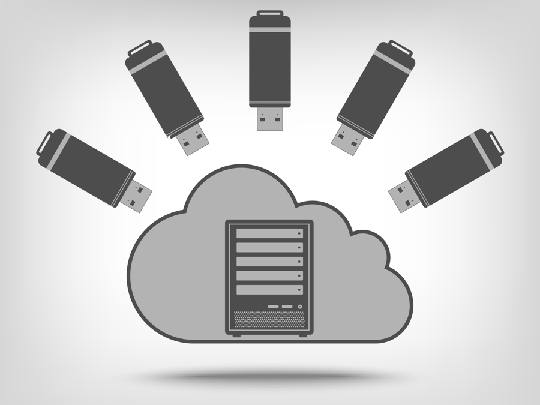
You should store your data in places you trust, so it stays safe from damage or loss. Many businesses save files in the cloud and on local devices at the same time. This way, they always have a backup ready. At the same time, managed IT security services help choose safe storage and keep systems protected from risks.
Control Who Can Access Your Data
You must limit who can open or change your data, so fewer mistakes happen. For example, only trusted staff should have access to important files. This helps stop accidents and keeps your data safe. Also, strong threat detection tools watch for unusual activity, so businesses can quickly stop attacks before they cause harm.
Best Practices for Data Backup and Recovery
Why Backup and Recovery Work Together
You need a good plan to save your data and get it back when needed. This is why many teams follow best practices for data backup and recovery to stay ready. Also, data backup best practices help make sure your files are safe and easy to restore.
- Recovery planning: You should plan how to get your data back before problems happen. This helps you act fast and avoid stress.
- Backup and restore connection: You must make sure your backups work when you try to restore them. This means you can open and use your files without trouble.
Automate and Monitor Your Backups
Why Automation Helps?
Automation saves your data without you doing it by hand, so you do not forget to back things up. For example, your system can run backups on its own every day. Because of this, data backup best practices use automation to keep data safe at all times. Also, this helps lower mistakes and keeps everything simple.
How Often You Should Back Up?
You should back up your data often, so you always have a fresh copy ready. Many people choose daily backups, while others use weekly backups for less important files. As a result, you can pick a schedule that fits your needs and keeps your data safe.
How Monitoring Keeps You Safe?
Monitoring checks your backups, so you know they work the right way. For example, tools can alert you if a backup fails or has an error. At the same time, data backup and recovery best practices use monitoring to fix problems fast. This helps you trust your backups and stay worry-free.
Ready to Protect Your Business Data?
Start using data backup best practices to keep your files safe and easy to recover. QualityIP helps you protect your data with simple and reliable solutions. Our team is ready to support your business every step of the way. Contact us today to get started.
FAQs
What Are Data Backup Best Practices?
Data backup best practices are simple steps you follow to save and protect your files. They help you keep copies of your data so you do not lose it.
How Often Should I Back Up My Data?
You should back up your data often, like every day or every week. This helps you keep your files updated and safe.
Why Is Data Backup Important for Businesses?
Data backup keeps important files safe from loss, damage, or attacks. It helps businesses keep working without big problems.
What Is the Safest Way to Store Backups?
The safest way is to store backups in more than one place, like the cloud and a local device. This keeps your data safe if one place fails.
Can I Recover My Data After Losing It?
Yes, you can recover your data if you have a backup. That is why it is important to follow good backup steps all the time.kup steps all the time.