
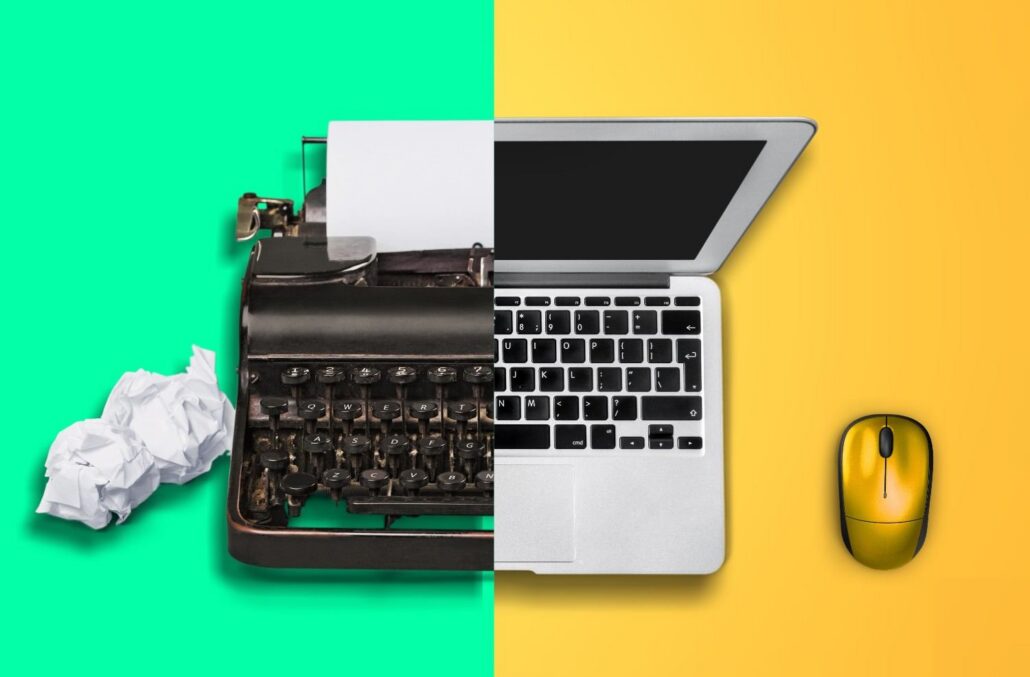
A computer does not have to stop working before it becomes a problem for a business. Slow applications, recurring repairs, outdated software, and compatibility issues can gradually consume employee time and IT resources.
When considering when Akron businesses should replace aging computers, device age is a useful starting point, but it should not be the only factor. Performance, reliability, security support, employee responsibilities, and repair history provide a clearer picture of whether a computer still belongs in the workplace.
How Long Do Business Computers Typically Last?
There is no universal expiration date for business computers. A practical approach is to establish a replacement window and evaluate each device as it approaches that point.
The University of Akron provides a useful local example. Its Workstation Refresh Policy establishes a five-year replacement cycle for standard primary devices. The policy also allows earlier replacement when an out-of-warranty workstation cannot reasonably be repaired or no longer meets an employee’s job requirements.
Business Laptop Replacement Cycle
Laptops often deserve closer review after three to five years. Batteries lose capacity, portable devices experience physical wear, and newer applications can demand more memory and processing power.
Employees who travel frequently or work between multiple locations may notice these limitations sooner.
Business Desktop Replacement Cycle
Desktops can often remain useful for four to six years because they experience less physical movement and may offer more upgrade options.
However, a desktop that cannot support current software or operating system requirements may need replacement even if its components still function properly.
What Are the Signs an Aging Computer Should Be Replaced?
Age provides a reference point. Daily performance tells you more about whether replacement is necessary.
Common warning signs include:
- Slow daily performance: Long startup times, freezing applications, overheating, and poor multitasking can make routine work unnecessarily difficult.
- Frequent repairs: Repeated hardware problems can make continued repair less practical, particularly after warranty coverage expires.
- Software limitations: Older hardware may struggle to support current operating systems, security tools, or business applications.
- Changing job requirements: A workstation that was adequate several years ago may no longer provide the memory, storage, or processing power an employee needs.
Tracking these issues by device makes it easier to distinguish an isolated problem from hardware approaching replacement.
Should You Repair, Upgrade, or Replace an Older Computer?
Replacement is not always the first answer. A memory or storage upgrade can extend the useful life of a supported computer when the rest of the hardware remains reliable.
Repair may also make sense when the problem is isolated and the device has several productive years remaining.
Replacement becomes more reasonable when repair expenses continue accumulating, failures become frequent, or the computer cannot support required software. Businesses should consider both the repair expense and the employee time lost while recurring problems are diagnosed and resolved.
How Can Aging Computers Affect Employee Productivity?
Small delays become noticeable when they happen throughout the workday. An employee waiting for applications to open, restarting a frozen workstation, or contacting support repeatedly has less uninterrupted time available for actual responsibilities.
The problem can extend beyond one computer. Aging workstations may be one part of a broader environment involving networks, cloud applications, security tools, and user support.
Businesses experiencing recurring technology problems can use managed IT services Akron to take a more coordinated approach to devices and the systems employees depend on.
Why Can Older Computers Become a Security Concern?
A computer can still operate while becoming unsuitable from a security perspective. The important question is whether its hardware and operating system continue receiving the updates and protections the business requires.
Windows 10 provides a clear example. Microsoft ended Windows 10 support on October 14, 2025. Standard Windows 10 installations no longer receive regular software updates, security fixes, or technical assistance.
Businesses with computers that cannot meet Windows 11 requirements should therefore evaluate their upgrade, extended support, or replacement options rather than waiting for hardware failure.
How Can Akron Businesses Plan a Computer Replacement Cycle?
Replacing computers only when they fail can turn a predictable expense into an urgent purchase. A structured refresh cycle gives businesses more visibility into upcoming hardware needs.
A practical process includes:
- Inventory devices: Document each computer’s age, specifications, operating system, warranty, and assigned user.
- Set priorities: Identify unsupported, unreliable, or underperforming computers first.
- Forecast expenses: Estimate upcoming purchases so replacements can be incorporated into technology budgets.
- Replace in phases: Spread deployments across planned periods when business requirements allow.
- Review annually: Reassess device condition as software and employee requirements change.
The City of Akron offers another local example. Its 2024 budget described the second year of a four-year device refresh program that would replace more than 200 devices, alongside hardware asset management improvements.
Should Every Employee Computer Follow the Same Replacement Schedule?
Not necessarily. Administrative employees using standard office applications may have different hardware requirements from engineers, designers, executives, or employees using specialized applications.
New technologies can change those requirements as well. Organizations introducing AI tools should evaluate whether existing devices, policies, and processes are prepared for their intended use. AI Assessment and Governance Services can help businesses examine those requirements as part of broader technology planning.
The better replacement schedule considers what each employee needs the computer to accomplish rather than relying only on its purchase date.
What Should Happen to Computers After They Are Replaced?
Replacing the hardware is only part of the process. Business information must be transferred carefully, backups verified, accounts removed, and old devices documented before disposal.
Retired computers may still contain customer information, employee records, credentials, financial documents, or proprietary files. Secure data destruction and responsible electronics recycling should therefore be included in the refresh process rather than handled as an afterthought.
Build a Practical Computer Refresh Plan for Your Akron Business
Aging computers do not all need replacement at the same time. Some can remain productive, some may benefit from upgrades, and others should move higher on the replacement list because of reliability, security, or software limitations.
Quality IP can help Akron businesses review existing hardware, prioritize replacements, plan upcoming purchases, and coordinate deployment without waiting for devices to fail.
A clear computer refresh plan turns replacement from an unexpected expense into a manageable part of IT planning.
FAQ’s
1. How Often Should a Business Replace Its Computers?
Business computers should be evaluated regularly rather than replaced according to one fixed deadline. Laptops are often reviewed after three to five years, while desktops may remain useful for four to six years. Performance, warranty status, repair history, software compatibility, and employee requirements should guide the final decision.
2. How Long Do Business Laptops Usually Last?
Business laptops commonly remain productive for three to five years. Battery wear, frequent travel, heat, demanding applications, and physical use can shorten that timeframe. A laptop may need earlier replacement if these issues begin interfering with daily work.
3. Do Desktop Computers Last Longer Than Laptops?
Desktops can often remain productive longer because they experience less physical wear and may allow easier memory, storage, or component upgrades. However, replacement may still be necessary when the computer cannot support current operating systems, security updates, or required applications.
4. Is It Better to Repair or Replace an Old Business Computer?
It depends on the computer’s age, condition, repair cost, and expected remaining life. A simple repair may make sense for a reliable device, while repeated failures or expensive repairs can make replacement the more practical option.
5. Can Old Computers Create Cybersecurity Risks?
Yes. Older computers can become a concern when their operating systems, firmware, or security tools no longer receive appropriate updates. Hardware limitations may also prevent businesses from adopting newer security features required for their environment.
6. Should Businesses Replace All Their Computers at Once?
Not necessarily. A phased replacement schedule can help businesses prioritize higher-risk or unreliable devices while distributing hardware expenses across planned budget periods. Device inventories and annual reviews can help determine which computers should be replaced first.
7. What Should Businesses Do With Old Computers After Replacement?
Old computers should be removed from service through a documented process. Business data should be migrated or backed up, accounts should be removed, storage devices should be securely erased or destroyed, and retired equipment should be recycled responsibly.